DALL-E 3 in ChatGPT: How to Make Images in ChatGPT Now (2026)
Summarize with AI
DALL-E 3 is no longer the image model in ChatGPT. OpenAI moved image generation in ChatGPT to its GPT image models, and the current version is ChatGPT Images 2.5, released on September 8, 2026 for all ChatGPT tiers. To make an image now, open ChatGPT, describe the image you want in a message (or upload a photo or sketch and describe the change), and ChatGPT generates it in the same conversation.
This post was updated on October 19, 2026 to reflect how image generation works in ChatGPT today. The original 2023 version covered the DALL-E 3 launch.
“In front of a deep black backdrop, a figure of middle years, her Tongan skin rich and glowing, is captured mid-twirl, her curly hair flowing like a storm behind her. Her attire resembles a whirlwind of marble and porcelain fragments. Illuminated by the gleam of scattered porcelain shards, creating a dreamlike atmosphere, the dancer manages to appear fragmented, yet maintains a harmonious and fluid form.”

An example of "curly hair flowing like a storm" AI generated image by DALLE-3. Image by OpenAI.
How to make images in ChatGPT now
There is no DALL-E switch to turn on anymore. Image generation is built into ChatGPT on web, desktop and mobile.
- Open ChatGPT and sign in.
- Ask for an image in a normal message, for example “Create a photo of a timber house on a hillside at sunset”. You can also open the Images section from the ChatGPT menu.
- To start from your own picture, upload a photo or a sketch and describe what should change.
- To refine the result, reply in the same conversation with the change you want. You can also select an area of the image and describe the edit for that part only.
Images 2.5 added a Sketch tool, so you can draw a reference directly in ChatGPT and use it for the generation. Usage limits depend on your plan. Check the OpenAI help article on image generation in ChatGPT for the current details.

ChatGPT user interface running DALL-E 3 in 2023. Image by OpenAI.
From DALL-E 2 to ChatGPT Images: a short history
- DALL-E 2. OpenAI’s earlier text-to-image model, used through its own web interface, separate from ChatGPT.
- DALL-E 3 (2023). Announced in September 2023 for ChatGPT Plus and Enterprise users, and added to the API on November 6, 2023. ChatGPT wrote the detailed prompt for you from a normal conversation.
- GPT-4o image generation (March 2025). OpenAI replaced DALL-E as the image tool in ChatGPT with image generation built into GPT-4o.
- GPT Image 2 and ChatGPT Images 2.0 (April 21, 2026). A new image model for generation and editing, released in ChatGPT and in the API as
gpt-image-2. - DALL-E retired (May 12, 2026). OpenAI removed
dall-e-2anddall-e-3from the API and recommends the GPT image models instead. - ChatGPT Images 2.5 (September 8, 2026). Faster generation and more consistent details across edits. In the API it comes as two models, GPT Image 2.5 Flare and GPT Image 2.5 Sunburst.

DALL-E 2 user interface in 2023.
What DALL-E 3 changed
DALL-E 3 understood long, detailed prompts much better than DALL-E 2. OpenAI’s examples showed it following specific details like the color of a sunset or the light on a city skyline.

How DALL-E 3 understands text prompts. Image by OpenAI.
The bigger change was the ChatGPT integration. You described an idea in plain language, ChatGPT turned it into a detailed prompt, and you asked for changes in the same chat. That conversational way of working is still how images work in ChatGPT today, with newer models behind it.
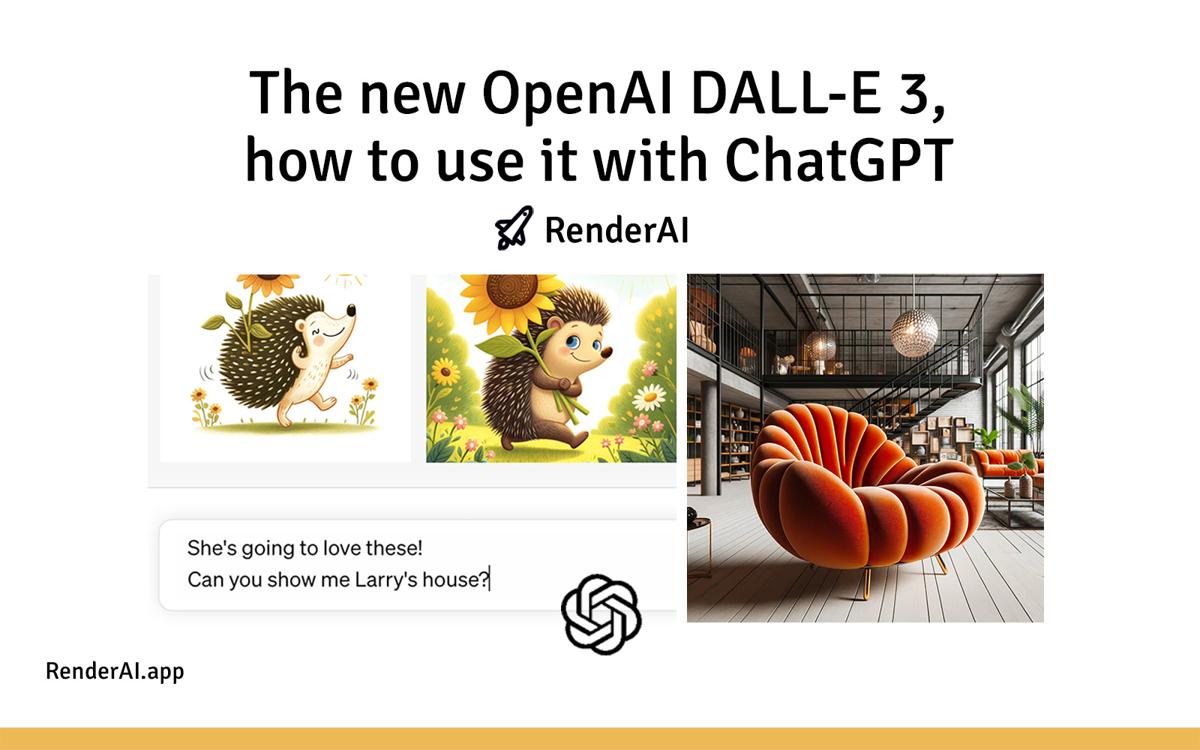
“A modern architectural building with large glass windows, situated on a cliff overlooking a serene ocean at sunset.” and “Illustration of a chic chair with a design reminiscent of a pumpkin’s form, with deep orange cushioning, in a stylish loft setting.”

A modern architectural building and an interior with furniture created using generative AI. Image by OpenAI.
ChatGPT images for architects and designers
ChatGPT is useful for concept images and quick edits, and the result depends a lot on how you write the prompt. Our ChatGPT prompts for architecture rendering give you a starting point for exteriors and interiors.
If you work from a sketch or a photo, see how ChatGPT handles image-to-image and sketch-to-image. For editing an existing render, we compared it with Flux in Flux Kontext vs ChatGPT.
“An illustration of a human heart made of translucent glass, standing on a pedestal amidst a stormy sea. Rays of sunlight pierce the clouds, illuminating the heart, revealing a tiny universe within. The quote ‘Find the universe within you’ is etched in bold letters across the horizon.”

A human heart by DALL-E 3. Image by OpenAI.
References:
- This post is based in official OpenAI DALL·E 3 official release. All images are property of OpenAI, organized by RenderAI.
- OpenAI API changelog and deprecations (GPT Image 2, GPT Image 2.5 and the DALL-E retirement).
- Introducing 4o Image Generation by OpenAI, and SiliconANGLE coverage (March 25, 2025).
- ChatGPT Images 2.5: OpenAI Developer Community announcement and 9to5Mac (September 8, 2026).
- This content uses AI research assistance with RenderAI expert analysis and human editing.
About the Author:
This article was written by Francisco. Architect, Visual Designer & Founder of RenderAI.