Free plan
RenderAI
Renders with commercial use and no imposed watermark.
Gendo
Watermarked, 1k export, 1 project canvas, public projects, non-commercial. [1]
Compare / Gendo AI
If you are looking for a Gendo alternative, this page compares RenderAI and Gendo AI in one place: workflows, collaboration, free plans, watermarks, commercial rights, video and pricing, with dated sources. Then you can decide which fits your practice.
Short answer
Choose Render AI if
You want an easy to use, fast tool that turns sketches, drawings, 3D views, or photos into high-resolution renders without imposed watermarks you can use commercially from day one, on the free plan too. Video is part of Creator Pro, and there are no plugins to install.
Choose Gendo AI if
You are a studio that wants one shared canvas with comments and roles for the whole team, renders from SketchUp, Rhino or Revit exports, and material specification with Material Bank.
The biggest practical differences:
Taken from each product's public pages. Numbers in brackets point to the sources under the table.
| Dimension | RenderAI | Gendo |
|---|---|---|
| Free plan | Renders with commercial use and no imposed watermark. | Watermarked, 1k export, 1 project canvas, public projects, non-commercial. [1] |
| Paid entry | Starter $13/mo; Creator Pro $39/mo. | Studio £79/mo, or £66/mo billed yearly (£790/yr). [1] |
| Video | Animate: 5 to 30 seconds, up to 1080p, included in Creator Pro and Premium Pro. | Studio: 15 free seconds (one-off), then packs at £0.25–0.40 per second; unlimited on Studio Scale, £299/mo. [1] |
| Upscale | Up to 6K (Creator Pro, Premium Pro). | 2× and 4× on paid plans. [1] |
| Presenting | Boards (infinite canvas). | Shared project canvas with comments. [1] |
| Languages | English and Spanish. | English. [1] |
RenderAI
Renders with commercial use and no imposed watermark.
Gendo
Watermarked, 1k export, 1 project canvas, public projects, non-commercial. [1]
RenderAI
Starter $13/mo; Creator Pro $39/mo.
Gendo
Studio £79/mo, or £66/mo billed yearly (£790/yr). [1]
RenderAI
Animate: 5 to 30 seconds, up to 1080p, included in Creator Pro and Premium Pro.
Gendo
Studio: 15 free seconds (one-off), then packs at £0.25–0.40 per second; unlimited on Studio Scale, £299/mo. [1]
RenderAI
Up to 6K (Creator Pro, Premium Pro).
Gendo
2× and 4× on paid plans. [1]
RenderAI
Boards (infinite canvas).
Gendo
Shared project canvas with comments. [1]
RenderAI
English and Spanish.
Gendo
English. [1]
Sources
RenderAI figures come from our pricing page (list prices in USD).
Key differences across free plans, watermarks, collaboration, workflows, and commercial rights.
| Dimension | RenderAI | Gendo AI |
|---|---|---|
| Primary focus | Fast, browser-based AI rendering for architects, interior designers, product designers, engineers, and real-estate teams. | Collaborative AI design canvas built for architecture studios; focused on visual exploration. |
| Inputs | Sketches, hand-drawn drawings, 3D views, and photos converted into photorealistic renders in seconds, plus videos on Creator Pro and Premium Pro. | Source file rendering from SketchUp, Rhino, Revit and CAD exports; sketch-to-scene, text-to-image, scene editing and entourage. |
| Free plan | Free tokens for renders without imposed watermarks, with commercial use. All plans include personal and commercial rights to what you generate. | Free plan with 1 project canvas, public projects, Gendo watermark, exports capped at 1k resolution, and no commercial use. |
| Imposed watermarks | No imposed brand watermarks, so downloads stay clean. Add your own when a project needs it. | Free plan adds a Gendo watermark to exports; Studio and higher plans remove watermarks. |
| Commercial rights | All plans include rights for personal and commercial use of generated content, designed for real client projects and marketing. | Studio and Enterprise plans include a commercial license with full ownership; free and educational plans are non-commercial. |
| Collaboration | Browser-based tool plus Project Boards: an infinite canvas to curate renders, compare options, and present projects inside the app. A good fit for individuals, small teams, and mixed roles. | Shared project canvas with comments and team roles; Studio includes up to 5 team members and unlimited viewer seats. |
| Output quality | Renders up to 4K, with upscaling up to 6K and videos up to 1080p on Creator Pro and Premium Pro. | Free exports at 1k with watermark; Studio offers 2× and 4× upscaling and no watermark. |
| Video & cinematic | Animate turns sketches, images or renders into clips of 5 to 30 seconds, included in Creator Pro and Premium Pro. | Studio includes 15 free video seconds (one-off), then video packs billed by the second; unlimited video on Studio Scale (£299/mo, beta). |
| Governance & data | Straightforward browser tool with emphasis on usability and rights; suitable for professionals needing fast output. | Studio/Enterprise: private by default, states it does not train on your data, EU hosting, audit logs, and data isolation controls. |
| Pricing model | Plans with a monthly token allowance, from $13/mo for one person, plus a free plan for renders. | Studio from £79/mo (or £66/mo billed yearly), Studio Scale at £299/mo, Enterprise, and a free plan for students and educators. |
RenderAI
Fast, browser-based AI rendering for architects, interior designers, product designers, engineers, and real-estate teams.
Gendo AI
Collaborative AI design canvas built for architecture studios; focused on visual exploration.
RenderAI
Sketches, hand-drawn drawings, 3D views, and photos converted into photorealistic renders in seconds, plus videos on Creator Pro and Premium Pro.
Gendo AI
Source file rendering from SketchUp, Rhino, Revit and CAD exports; sketch-to-scene, text-to-image, scene editing and entourage.
RenderAI
Free tokens for renders without imposed watermarks, with commercial use. All plans include personal and commercial rights to what you generate.
Gendo AI
Free plan with 1 project canvas, public projects, Gendo watermark, exports capped at 1k resolution, and no commercial use.
RenderAI
No imposed brand watermarks, so downloads stay clean. Add your own when a project needs it.
Gendo AI
Free plan adds a Gendo watermark to exports; Studio and higher plans remove watermarks.
RenderAI
All plans include rights for personal and commercial use of generated content, designed for real client projects and marketing.
Gendo AI
Studio and Enterprise plans include a commercial license with full ownership; free and educational plans are non-commercial.
RenderAI
Browser-based tool plus Project Boards: an infinite canvas to curate renders, compare options, and present projects inside the app. A good fit for individuals, small teams, and mixed roles.
Gendo AI
Shared project canvas with comments and team roles; Studio includes up to 5 team members and unlimited viewer seats.
RenderAI
Renders up to 4K, with upscaling up to 6K and videos up to 1080p on Creator Pro and Premium Pro.
Gendo AI
Free exports at 1k with watermark; Studio offers 2× and 4× upscaling and no watermark.
RenderAI
Animate turns sketches, images or renders into clips of 5 to 30 seconds, included in Creator Pro and Premium Pro.
Gendo AI
Studio includes 15 free video seconds (one-off), then video packs billed by the second; unlimited video on Studio Scale (£299/mo, beta).
RenderAI
Straightforward browser tool with emphasis on usability and rights; suitable for professionals needing fast output.
Gendo AI
Studio/Enterprise: private by default, states it does not train on your data, EU hosting, audit logs, and data isolation controls.
RenderAI
Plans with a monthly token allowance, from $13/mo for one person, plus a free plan for renders.
Gendo AI
Studio from £79/mo (or £66/mo billed yearly), Studio Scale at £299/mo, Enterprise, and a free plan for students and educators.
RenderAI is a browser-based AI visualization platform that lets architects, interior designers, product designers, engineers, and real-estate teams turn sketches, drawings, 3D views, or photos into photorealistic renders in seconds, plus short videos on Creator Pro and Premium Pro. Users work directly in the browser (on desktop, tablet, or phone) without installing plugins or configuring render engines.
The product is deliberately designed so you don’t need to manage AI models or engineer prompts: you upload material, choose a few clear settings, and RenderAI handles the complexity under the hood while keeping outputs aligned with your design intent. All plans include rights for personal and commercial use of generated images and videos, and renders are delivered without imposed watermarks, making it easy to trial RenderAI on real client work and marketing materials from the first day.
Explore role-specific workflows for architects and interior designers, organize ideas on Project Boards, or start from the RenderAI.app homepage.

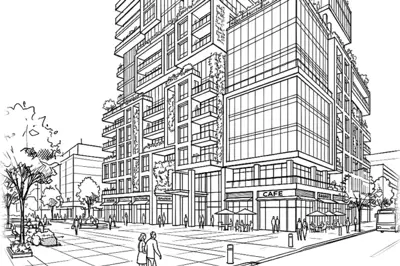

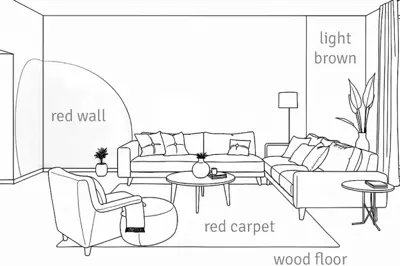
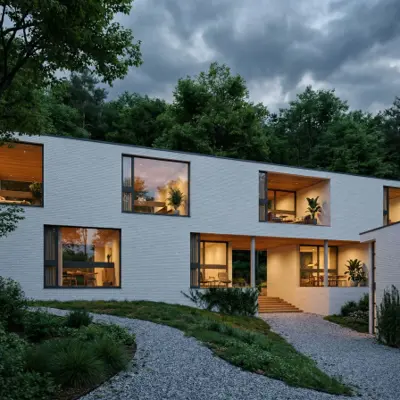
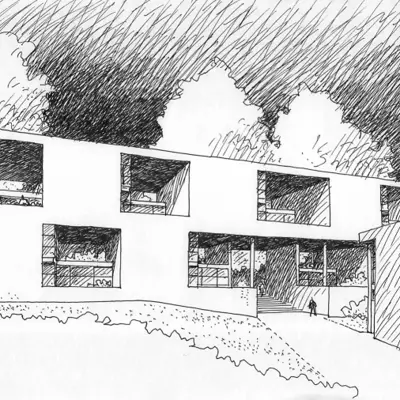




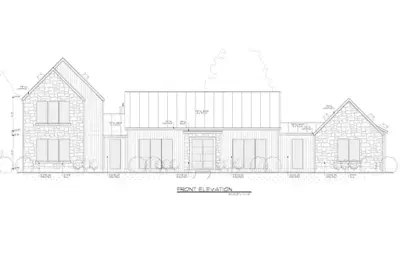
Gendo AI is a collaborative AI design canvas built specifically for architecture studios and design teams. It acts as a shared workspace where architects upload sketches, exports from SketchUp/Rhino/Revit, conceptual massing models, or text prompts, and generate photorealistic renders, variations, and video while iterating together on one canvas.
Gendo emphasizes visual decision-making rather than single images: teams generate multiple options, comment within the canvas, and use dedicated tools for source file rendering, material swaps, scene editing, entourage, sketch-to-scene conversion and text-to-image ideation. Its Studio plan starts at £79 a month and is private by default, and Gendo states that it does not train on customer data.
Gendo is built around a shared project canvas for studios: renders, materials and comments sit together, and the team can review and decide in one place. Its Studio plan includes up to five team members and unlimited viewer seats, it is private by default, and it states that it does not train on your data. It also offers material specification with Material Bank and a free plan for students and educators.
A closer look at workflows, free-plan behavior, licensing, video, and collaboration.
RenderAI
RenderAI focuses on a simple, browser-first workflow: upload a sketch, drawing, model, or photo, choose a few settings, and get high-resolution renders for client presentations, portfolios, and marketing, with videos on Creator Pro and Premium Pro. This suits individual professionals and small teams who want fast results without changing their CAD stack or adopting a new collaboration environment.
Gendo AI
Gendo AI works as a layer for studio workflows. Teams import exports from SketchUp, Rhino, Revit, and other CAD tools, render them to photorealistic scenes, then iterate with material changes, entourage, lighting adjustments, sketch-to-scene conversions, text-to-image ideation, and video, all within a shared canvas designed for team collaboration.
Free tiers behave very differently:
RenderAI
Free tokens are meant for real use: they generate renders without imposed watermarks, with commercial use, for portfolios, client presentations and social content. This makes it easy to experiment on actual projects before upgrading. Upscale and video start on Creator Pro.
Gendo AI
The Free plan gives one project canvas, and its projects are public. Exports carry a Gendo watermark and are capped at 1k resolution, and the plan is non-commercial. Commercial licenses and watermark-free outputs start on Studio.
In practice, RenderAI’s free tier is oriented toward client-ready renders, while Gendo’s free tier is oriented toward exploration and internal testing before committing to a studio plan.
RenderAI
Images and videos generated with RenderAI can be used for personal and commercial projects, including real client work and marketing materials, on every plan. There is no separate license to buy, and outputs are delivered without imposed watermarks.
Gendo AI
Gendo AI’s Studio and Enterprise tiers include a commercial license with full ownership, while free and educational plans are non-commercial, meant for learning and exploration. It is a common studio model, and it means the decision to pay comes as soon as work is meant for a client.
RenderAI
Video is part of Creator Pro and Premium Pro: Animate turns a sketch, image or render into a clip of 5 to 30 seconds, up to 1080p, paid with the same monthly tokens as your renders. Architects, designers and marketers can add motion to presentations and social content without leaving the browser.
Gendo AI
Gendo includes video on Studio: 15 free video seconds (one-off), then video packs billed by the second, at £0.25 to £0.40 per second. Studio Scale (£299 a month, in beta) includes unlimited video. Video sits in the same canvas as image work, which suits teams that review motion together.
RenderAI
RenderAI keeps collaboration lightweight: individuals and small teams can share outputs via links, decks, or platforms they already use, while speeding up rendering and video without replacing existing studio tools. Inside the app, Project Boards add an infinite canvas to curate renders from your history, compare variants side by side, and present projects. It fits moodboards, option sets and client walkthroughs.
Gendo AI
Gendo is built as a shared project canvas for studios. It offers team roles, comments, unlimited viewer seats on Studio, and on larger plans SSO, audit logs, data isolation controls and EU-based hosting. For teams that want visual decisions to happen in one shared place, this is the core of the product.
List prices as of October 2026: RenderAI in USD, Gendo in GBP as it publishes them. Prices change, so check each pricing page before you buy.
USD list prices · no imposed watermarks · commercial rights on all plans
Annual billing and checkout promos may lower the effective monthly price.
As listed on Gendo’s pricing page, October 2026.
RenderAI plans start at $13 a month for one person, and video is part of Creator Pro. Gendo’s paid plans start with Studio, priced for a team. If you work alone or in a small team, start with RenderAI’s free plan. If your whole studio needs one shared canvas with roles, Gendo’s Studio plan is built for that.
Watermarks, commercial rights, studio collaboration, and sketch-to-render speed.
Turn sketches, drawings, models, or photos into high-resolution renders in the browser, with commercial rights from day one. Paid plans add upscaling and video.
Free tokens · No imposed watermarks · No credit card required