Free option
RenderAI
Free plan with 10 trial tokens for renders, with commercial use and no imposed watermark.
ReRender AI
3 renders a day, standard quality, watermarked, non-commercial. [1]
Compare / ReRender AI
If you are looking for a ReRender AI alternative, this page puts RenderAI and ReRender AI side by side. Architects, interior designers and real estate teams can see how they differ in workflows, free plans, watermarks, commercial rights, video and pricing, with dated sources.
Short answer
Choose Render AI if
You want a browser tool that turns sketches, photos or 3D views into renders you can use commercially from day one, with no imposed watermark, even on the free plan. Paid plans add 6K upscaling and short videos, and there are no plugins to install.
Choose ReRender AI if
You model in SketchUp and want to render from it with a plugin, or you prefer one flat Pro plan with unlimited renders. Its free tier is watermarked and non-commercial, so client work starts on Pro.
The biggest practical difference for many users: ReRender AI’s free trial adds watermarks and restricts commercial use, while RenderAI’s free tokens let you download renders without imposed watermarks and use them in client work and portfolios.
Taken from each product's public pages. Numbers in brackets point to the sources under the table.
| Dimension | RenderAI | ReRender AI |
|---|---|---|
| Free option | Free plan with 10 trial tokens for renders, with commercial use and no imposed watermark. | 3 renders a day, standard quality, watermarked, non-commercial. [1] |
| Main paid plan | Creator Pro $39/mo (200 tokens) or $468/yr (2,400 tokens). Starter $13/mo, Premium Pro $199/mo. | Pro $45/mo, or $38/mo billed yearly ($450 the first year), with unlimited renders. [1] |
| Watermark on paid plans | None. | None. [1] |
| Upscale | Up to 6K (Creator Pro, Premium Pro). | 4× upscaling. [1] |
| Video | Animate: clips of 5 to 30 seconds, up to 1080p (Creator Pro, Premium Pro). | Video generation credits on Pro. [1] |
| Plugins | None needed. Works from any exported image or screenshot. | SketchUp plugin support. [1] |
| Present to clients | Boards (infinite canvas). | Not listed on the pricing page. [1] |
RenderAI
Free plan with 10 trial tokens for renders, with commercial use and no imposed watermark.
ReRender AI
3 renders a day, standard quality, watermarked, non-commercial. [1]
RenderAI
Creator Pro $39/mo (200 tokens) or $468/yr (2,400 tokens). Starter $13/mo, Premium Pro $199/mo.
ReRender AI
Pro $45/mo, or $38/mo billed yearly ($450 the first year), with unlimited renders. [1]
RenderAI
None.
ReRender AI
None. [1]
RenderAI
Up to 6K (Creator Pro, Premium Pro).
ReRender AI
4× upscaling. [1]
RenderAI
Animate: clips of 5 to 30 seconds, up to 1080p (Creator Pro, Premium Pro).
ReRender AI
Video generation credits on Pro. [1]
RenderAI
None needed. Works from any exported image or screenshot.
ReRender AI
SketchUp plugin support. [1]
RenderAI
Boards (infinite canvas).
ReRender AI
Not listed on the pricing page. [1]
Sources
RenderAI figures come from our pricing page (list prices in USD).
Key differences across free plans, watermarks, commercial rights, integrations, and everyday workflow.
| Dimension | RenderAI | ReRender AI |
|---|---|---|
| Primary focus | Browser-based AI rendering for architects, interior designers, product designers, engineers, and real estate. | Architecture-focused AI rendering from photos and design views, with a SketchUp plugin on paid plans. |
| Inputs | Sketches, hand-drawn drawings, 3D views, and photos converted to photorealistic images, plus videos on Creator Pro and Premium Pro. | Photos and design views, SketchUp models through its plugin, theme-based scenes and prompt-driven styles. |
| Free plan | Free tokens for renders, without imposed watermarks, with commercial use. Built to give you useful results right away. | Free trial: 3 renders daily, non-commercial, standard quality, watermarked outputs, public gallery sharing. |
| Imposed watermarks | No imposed brand watermarks, so downloads stay clean. Add your own when a project needs it. | Free trial adds watermarks; paid plans remove watermarks and give full quality. |
| Commercial rights | All plans, the free one included, allow personal and commercial use of what you generate. | Free tier is non-commercial; paid tiers provide full commercial usage rights. |
| Output quality | Renders up to 4K, with upscaling up to 6K and videos up to 1080p on Creator Pro and Premium Pro. | Standard image quality on free tier; paid plans add 4× upscaling and higher-quality output. |
| Video & animation | Animate turns sketches, drawings or renders into clips of 5 to 30 seconds (Creator Pro and Premium Pro). | The Pro plan includes video generation credits. |
| Integrations | Runs fully in the browser; accepts exported images from any CAD or 3D tool and doesn’t require plugins. Project Boards let you curate and present renders on an infinite canvas inside the app. | SketchUp plugin support. |
| Ease of use | Designed for people who don’t want to manage models or prompts: upload material, choose settings, get results in seconds. | Offers manual control options and prompt-based customization for users comfortable with more technical control. |
RenderAI
Browser-based AI rendering for architects, interior designers, product designers, engineers, and real estate.
ReRender AI
Architecture-focused AI rendering from photos and design views, with a SketchUp plugin on paid plans.
RenderAI
Sketches, hand-drawn drawings, 3D views, and photos converted to photorealistic images, plus videos on Creator Pro and Premium Pro.
ReRender AI
Photos and design views, SketchUp models through its plugin, theme-based scenes and prompt-driven styles.
RenderAI
Free tokens for renders, without imposed watermarks, with commercial use. Built to give you useful results right away.
ReRender AI
Free trial: 3 renders daily, non-commercial, standard quality, watermarked outputs, public gallery sharing.
RenderAI
No imposed brand watermarks, so downloads stay clean. Add your own when a project needs it.
ReRender AI
Free trial adds watermarks; paid plans remove watermarks and give full quality.
RenderAI
All plans, the free one included, allow personal and commercial use of what you generate.
ReRender AI
Free tier is non-commercial; paid tiers provide full commercial usage rights.
RenderAI
Renders up to 4K, with upscaling up to 6K and videos up to 1080p on Creator Pro and Premium Pro.
ReRender AI
Standard image quality on free tier; paid plans add 4× upscaling and higher-quality output.
RenderAI
Animate turns sketches, drawings or renders into clips of 5 to 30 seconds (Creator Pro and Premium Pro).
ReRender AI
The Pro plan includes video generation credits.
RenderAI
Runs fully in the browser; accepts exported images from any CAD or 3D tool and doesn’t require plugins. Project Boards let you curate and present renders on an infinite canvas inside the app.
ReRender AI
SketchUp plugin support.
RenderAI
Designed for people who don’t want to manage models or prompts: upload material, choose settings, get results in seconds.
ReRender AI
Offers manual control options and prompt-based customization for users comfortable with more technical control.
RenderAI is a browser-based AI visualization platform built specifically for architects, interior designers, product designers, engineers, and real estate professionals. You upload a sketch, 3D view, or photo and the system turns it into a high-resolution, photorealistic image for client presentations, social media, and portfolios in seconds. Creator Pro and Premium Pro add 6K upscaling and short videos.
The product is intentionally designed so you don’t need to install 3D software, manage GPU render farms, or learn prompt engineering: RenderAI handles model choice and configuration and lets you work with simple controls while still benefiting from the latest generative models. It emphasizes saving up to 15 hours of work per week and cutting the cost of manual renders, while keeping rights straightforward: all plans include personal and commercial usage rights, and outputs are delivered without imposed watermarks.
Explore role-specific workflows for architects and interior designers, organize ideas on Project Boards, or start from the RenderAI.app homepage.

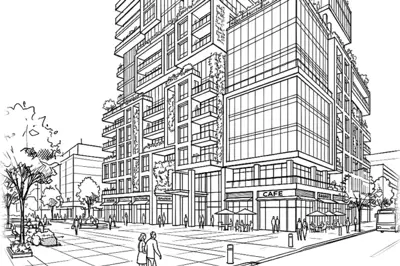

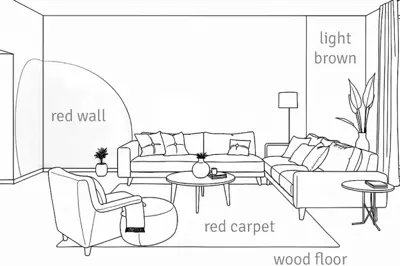
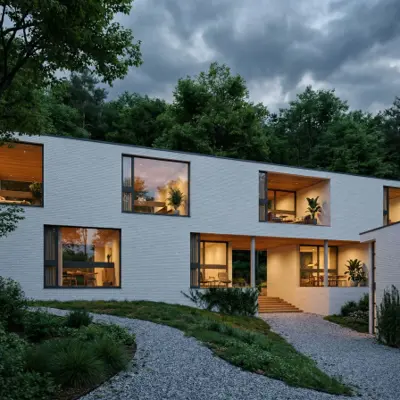
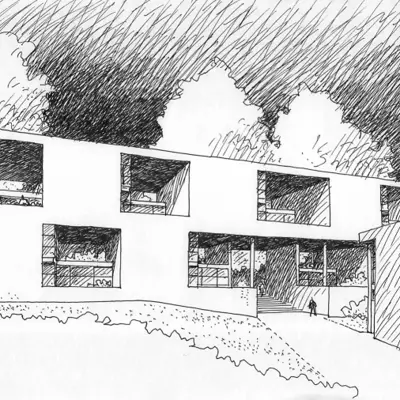




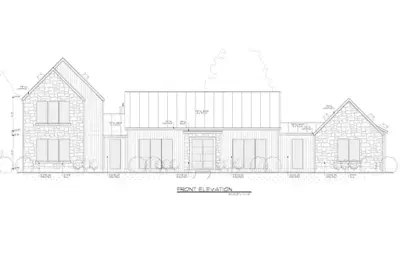
ReRender AI is an AI-powered architectural rendering tool. It works from photos and design views, and its paid plans add a SketchUp plugin. Its marketing focuses on fast renders for client presentations and quick design iterations, with style presets and theme-based rendering so architects and designers can visualize concepts without a traditional offline render engine.
ReRender AI offers a free trial for basic exploration and Pro, Team and Student plans. Pro costs $45 a month, or $38 a month billed yearly, and includes unlimited renders, advanced controls, SketchUp plugin support and video generation credits. The free tier is limited to non-commercial use, standard image quality and watermarked outputs, so client work needs a paid plan.
ReRender AI keeps pricing simple: one Pro plan with unlimited renders, $45 a month or $450 for the first year. If you render many single images every week, a flat price is easy to plan around. Its free tier gives 3 renders a day to try the tool. Paid plans add 4× upscaling, video generation credits and a SketchUp plugin, and the site is available in 15 languages. It also offers team and student plans.
A closer look at workflows, free-plan behavior, licensing, video, and integrations.
RenderAI
RenderAI is centered on a browser workflow: upload sketches, drawings, 3D views or photos, choose from curated presets and settings, and generate photorealistic stills in seconds. This fits designers and teams who want fast visualization without reworking their CAD stack or installing plugins.
ReRender AI
ReRender AI also works from uploaded photos and design views. Its paid plans add a SketchUp plugin, which suits teams who model in SketchUp and prefer to start renders from there.
For many people, the first question is “what can I do on the free plan?”
RenderAI
Free tokens let new users generate renders without imposed watermarks, with commercial use, so a first test can go into a portfolio, client deck or social post. You can add your own mark when a project needs it. Upscale and video start on Creator Pro.
ReRender AI
The Free Trial is clearly labeled as non-commercial, with standard quality, watermarked renders, and limited daily usage (3 renders per day). It’s positioned as a way to preview core tools before committing to a paid plan.
In practice, renders from RenderAI’s free plan can already be used in client work, while ReRender AI’s free tier is meant for testing before you move to Pro.
RenderAI
Images and videos generated with RenderAI can be used for personal and commercial projects, including client presentations, marketing materials and portfolios. There is no separate license to buy.
ReRender AI
ReRender AI separates usage into a non-commercial free trial and full commercial rights on its paid Pro, Team and Student plans, which include unlimited renders and watermark-free outputs. The decision to pay comes as soon as work is meant for a client.
RenderAI
Video is part of Creator Pro and Premium Pro: Animate turns a sketch, drawing or render into a clip of 5 to 30 seconds, up to 1080p, from the same browser screen you use for stills.
ReRender AI
ReRender AI includes video generation credits on its Pro plan, next to unlimited image renders.
RenderAI
RenderAI keeps setup simple: no local installation, no CAD plugins, no model versions to follow. Users log in, upload material and generate outputs. For small studios, students and mixed teams (for example, architects plus marketing), this makes access easy to share. Project Boards add an infinite canvas inside the app to curate renders, compare options and present projects without leaving the browser.
ReRender AI
ReRender AI offers a SketchUp plugin, advanced control options and prompt-based customization on its paid plans, for users who want more manual control. If you model in SketchUp every day, the plugin saves an export step.
List prices in USD as of October 2026. Prices change, so check each pricing page before you buy.
USD list prices · no imposed watermarks · commercial rights on all plans
Annual billing and checkout promos may lower the effective monthly price.
As listed on ReRender AI’s pricing page, October 2026.
The two are priced in different ways. ReRender AI sells one flat Pro plan with unlimited renders. RenderAI sells plans with a monthly token allowance, from $13 a month, and its free renders already include commercial use. If you want to test on real work before paying, start with RenderAI’s free plan. If you render many images a week from SketchUp, ReRender’s flat Pro plan is built for that.
Watermarks, commercial rights, pricing, SketchUp workflows, and sketch-to-render speed.
Turn sketches, drawings, models, or photos into high-resolution renders in the browser, with commercial rights from day one. Paid plans add upscaling and video.
Free tokens · No imposed watermarks · No credit card required