AI rendering extension for SketchUp® · Early access
Turn your SketchUp view into a photoreal render, right inside SketchUp
Capture the view or one of your scenes, pick a style and get the render in a panel next to your model in 1 to 60 seconds. Made for architects and interior designers who want to test ideas on the model they already have.
Version 1.0.0 · SketchUp 2024 or newer · Mac and Windows
20 extra tokens the first time you sign in from SketchUp
 on Trustpilot
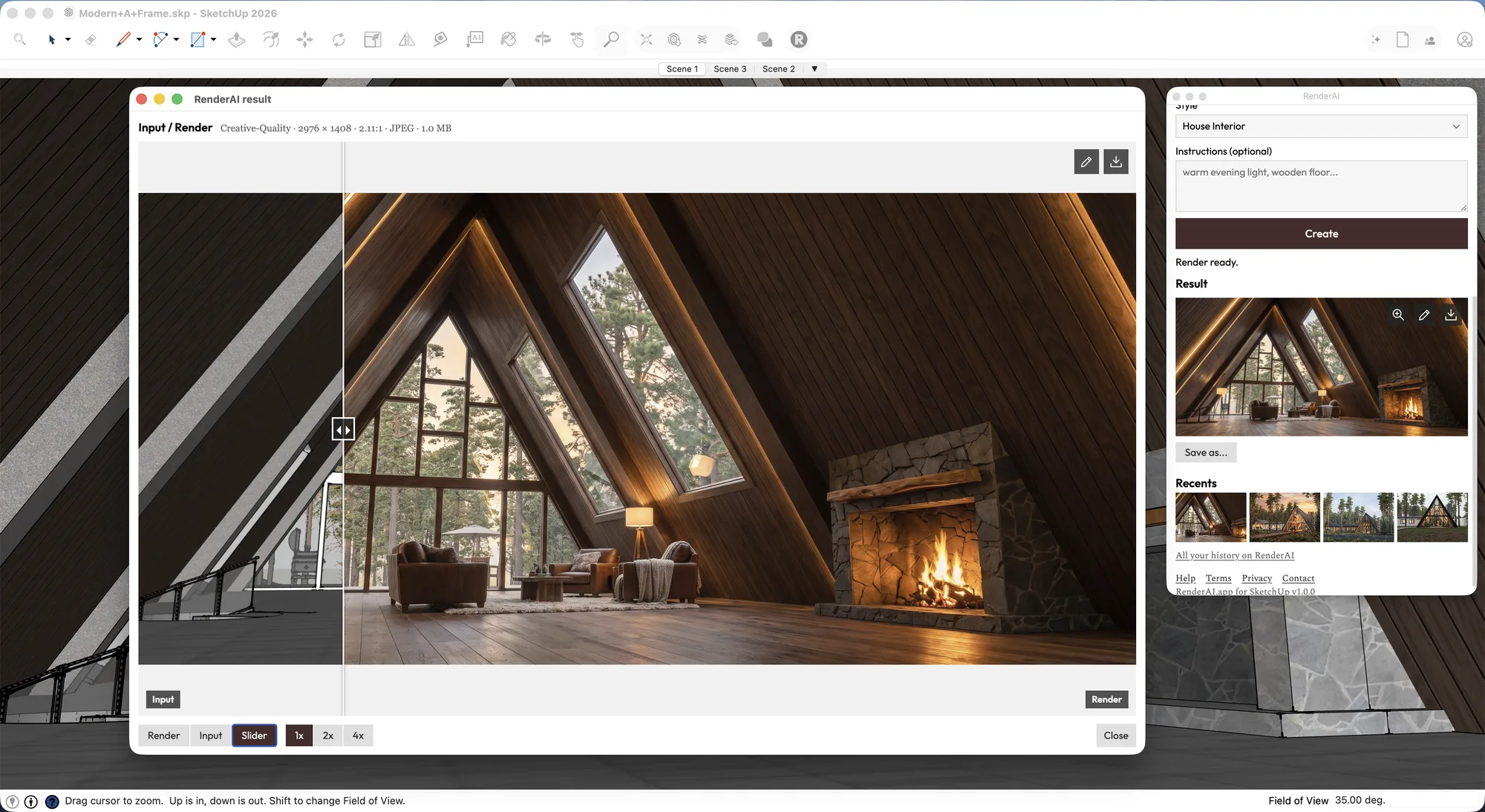
From massing model to client image, without a render engine
Try a material, a light or a mood on the model you have today, while the design is still changing. When it's ready, the same panel creates the images for your client. Renders run on our servers, so you don't need a high-end CPU or GPU, and there's nothing to set up in your model.
See it working in SketchUp
Your next render is one click from your model
Skip the export
The panel follows your view and captures exactly what you see. No screenshots to crop or files to upload.
Render your scenes
Pick one of your saved scenes and capture it with its camera, style and tags.
Compare with your model
Open the result in a larger window and drag the slider between your view and the render. Zoom to 2x or 4x to check details.
Build on a render
The pencil icon turns a result into the next starting image. Change the light or a material without capturing again.
Sign in with your account
Approve the connection in your browser. Your tokens and plan work the same in SketchUp and on the web.
Your model stays with you
Your .skp file stays on your computer. The extension sends only the captured image and your instructions.
Get started
- 01
Download and install the extension.
Download the
.rbzfile. In SketchUp, open Extensions > Extension Manager, click Install Extension and pick the file. You don't need to unzip it.We're also publishing it on the Extension Warehouse. Once it's approved you'll be able to install and update it from there.
- 02
Open the RenderAI panel.
Go to Extensions > RenderAI > Open RenderAI Panel, or click the RenderAI button in the toolbar. On Mac you can drag the button to the main toolbar.
- 03
Sign in from the panel.
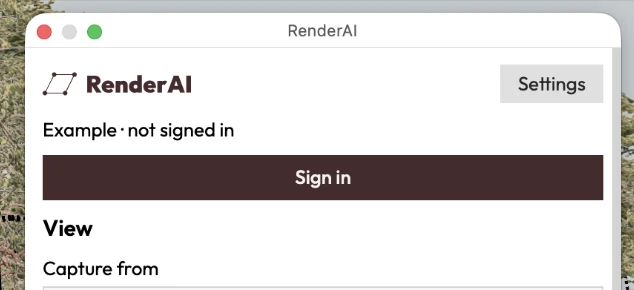
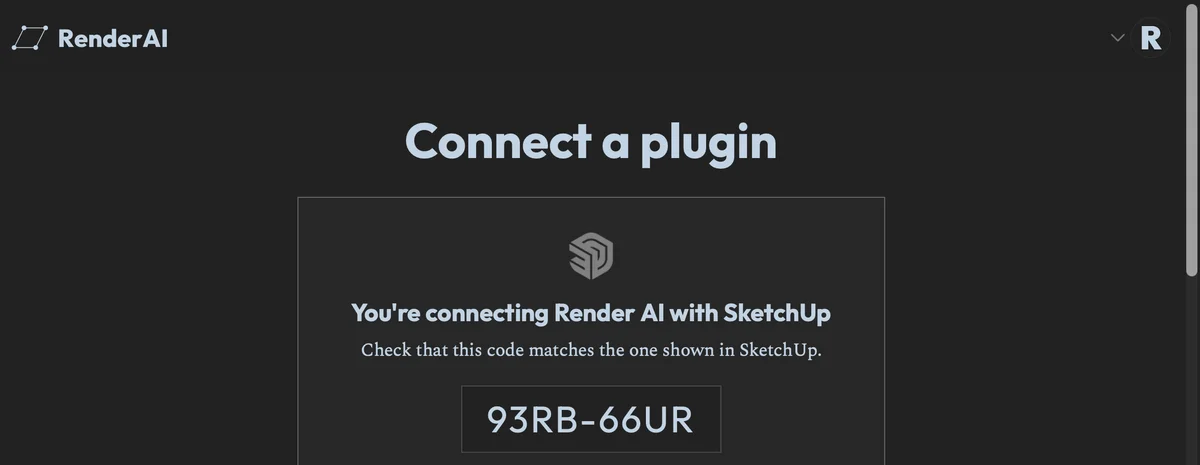
Click Sign in. Your browser opens on Render AI. Check that the code matches the one in SketchUp, click Connect and go back to SketchUp. No account yet? You can create one on the same page. Without signing in, the panel shows an example and doesn't use tokens.
- 04
Create your first render.
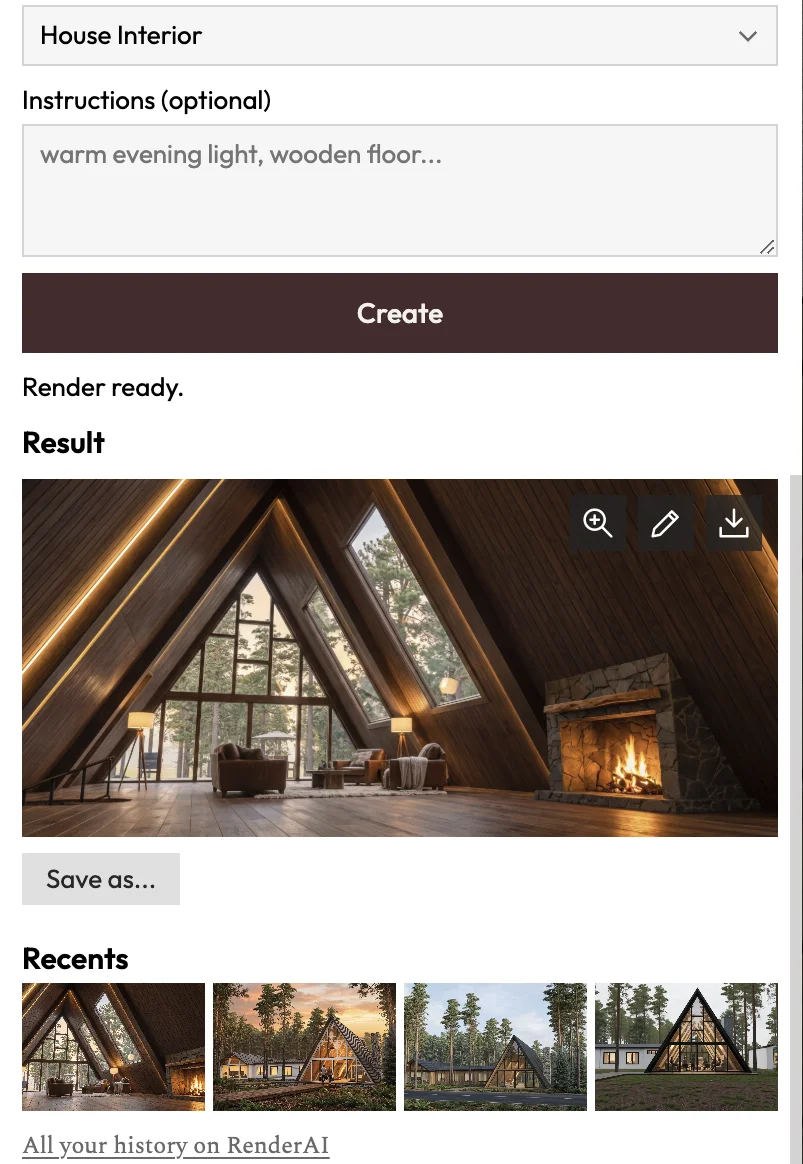
The panel captures your current view, or pick a scene in Capture from. Choose a style, add instructions if you want, and click Create. The render appears in the panel and is saved to your Render AI history. Your last renders stay in Recents.
SketchUp versions
Tested on recent versions of SketchUp for Mac and Windows. Using an older version? Tell us and we'll let you know if it works.
| Mac | Windows | |
|---|---|---|
| SketchUp 2027 | Not tested | Not tested |
| SketchUp 2026 | Early access | Early access |
| SketchUp 2025 | Early access | Early access |
| SketchUp 2024 | Early access | Early access |
| SketchUp 2021 to 2023 | Not tested | Not tested |
For desktop SketchUp only. The panel is in English and Spanish.
On SketchUp for Web or iPad?
Use your browser
Export a scene as an image or take a screenshot, then upload it to Render AI. It works with any SketchUp version, on any device. In the web app you can also upscale, animate and organize your renders in Boards, depending on your plan.
Try it freeSupports designs from any CAD and 3D model
Keep your current workflow. Any image from your model is a starting point.
Upload a screenshot or JPG/PNG export from any software, or explore our plugins


Render AI is used to post-produce, upscale, and animate renders from real-time rendering software


We are an independent platform, not affiliated with Trimble (SketchUp), Graphisoft, Autodesk, Vectorworks, Robert McNeel & Associates (Rhino), Chaos (Enscape), D5 Render, Epic Games (Twinmotion) or their subsidiaries. All trademarks belong to their respective owners. SketchUp is a registered trademark of Trimble Inc.
Frequently Asked Questions
- SketchUp 2024, 2025 and 2026 on Mac and Windows. SketchUp 2021 to 2023 should work but we haven't tested them yet. The extension is for desktop SketchUp. On SketchUp for Web or iPad, export a view and use the web app.
- Download the .rbz file from this page. In SketchUp, open Extensions > Extension Manager, click Install Extension and pick the file. Then open Extensions > RenderAI > Open RenderAI Panel and sign in.
- During early access, the extension is open to every plan, including free, and you get 20 extra tokens the first time you sign in from SketchUp. Renders use the same tokens as the web app: 1 to 4 depending on the method.
- No. The extension uses your Render AI tokens. It doesn't use the AI credits of your SketchUp subscription.
- No. The extension sends only the image you captured and any instructions you write. Your .skp file stays on your computer.
- Yes. Pick a scene in Capture from. SketchUp switches to that scene first, with its camera, style and tags, so the render starts from the view you saved.
- Click Sign in in the panel. Your browser opens, you approve the connection with your Render AI account and go back to SketchUp. There's no key to copy.
- On most, but we can't guarantee it on every one. A firewall, an antivirus, your company network or something specific to your Windows, Mac or SketchUp version can block the install or the connection. If the extension doesn't work for you, contact us and we'll look into it. In the meantime, you can always export a scene as an image or take a screenshot and create your AI rendering in the browser, with the same account and the same tokens.
- No. Renders run on our servers and usually take 1 to 60 seconds, on any computer that runs SketchUp. You only need an internet connection.
- Yes. It's under review now. Until then you can download it from this page. When it's approved, you'll be able to install and update it from the Extension Warehouse.
- No. Render AI is an independent product and is not affiliated with Trimble Inc.

Render your next SketchUp model
Download the extension and get your first render without leaving SketchUp.