AI Rendering for Architecture & Interior Design: Master Atmospheric Effects with Style Enhance

Transforming a renders into a versatile marketing asset has never been easier—or more powerful. But it usually takes tedious prompt engineering back and forth. Fortunately, some AI rendering tools take care of that complexity using features like atmospheric ambient effects. Just like a photographer capturing the same scene at different times of day or seasons, AI rendering tools like RenderAI give you the same creative power. By applying ambient presets, you transform a flat render into multiple atmospheric variations that showcase your design’s true potential and help clients habitate your designs.
In this guide, we’ll show you how to leverage Style Enhance feature with six ambient presets—Night, Golden Hour, Snow/Winter, Stormy/Rainy, Autumn/Fall, and more—to convert sketches or renders into multiple client-ready presentations. You’ll discover how these atmospheric transformations mirror real photography principles, why they matter for interior visualization, and how to get this level of creative control without complex re-rendering.
- Understanding Style Enhance in AI Rendering
- Six Essential Ambient Presets for Architecture and Interior Design
- Practical Workflow: Transforming Images with Style Enhance
- Photography Principles Meet Atmospheric AI
- Why Ambient Effects Matter for Your Success
- Ready to Transform Your Renders with Atmosphere?
Understanding Style Enhance in AI Rendering
Style Enhance is RenderAI’s AI-powered image editing system that reconstructs the visual atmosphere of your renders while preserving spatial integrity. Unlike simple filters or basic adjustments, this advanced feature deeply analyzes your image and transforms the mood, lighting relationships, and overall ambiance—converting a neutral daylight render into a cinematic night scene, warm golden-hour ambiance, or moody seasonal atmosphere.
When you apply Style Enhance with ambient presets in AI rendering tools like RenderAI, you’re not just changing colors—you’re fundamentally altering how your design communicates emotion and atmosphere. A Night transformation can make a standard living room feel luxurious and intimate, while a Snow/Winter preset can create clean, contemporary projects that emphasize modern design elements.
The key insight is that atmospheric variation affects emotional perception more than any other visual parameter. By mastering these ambient presets, you’ll transform single renders into comprehensive visual stories that rival professional architectural photography series.
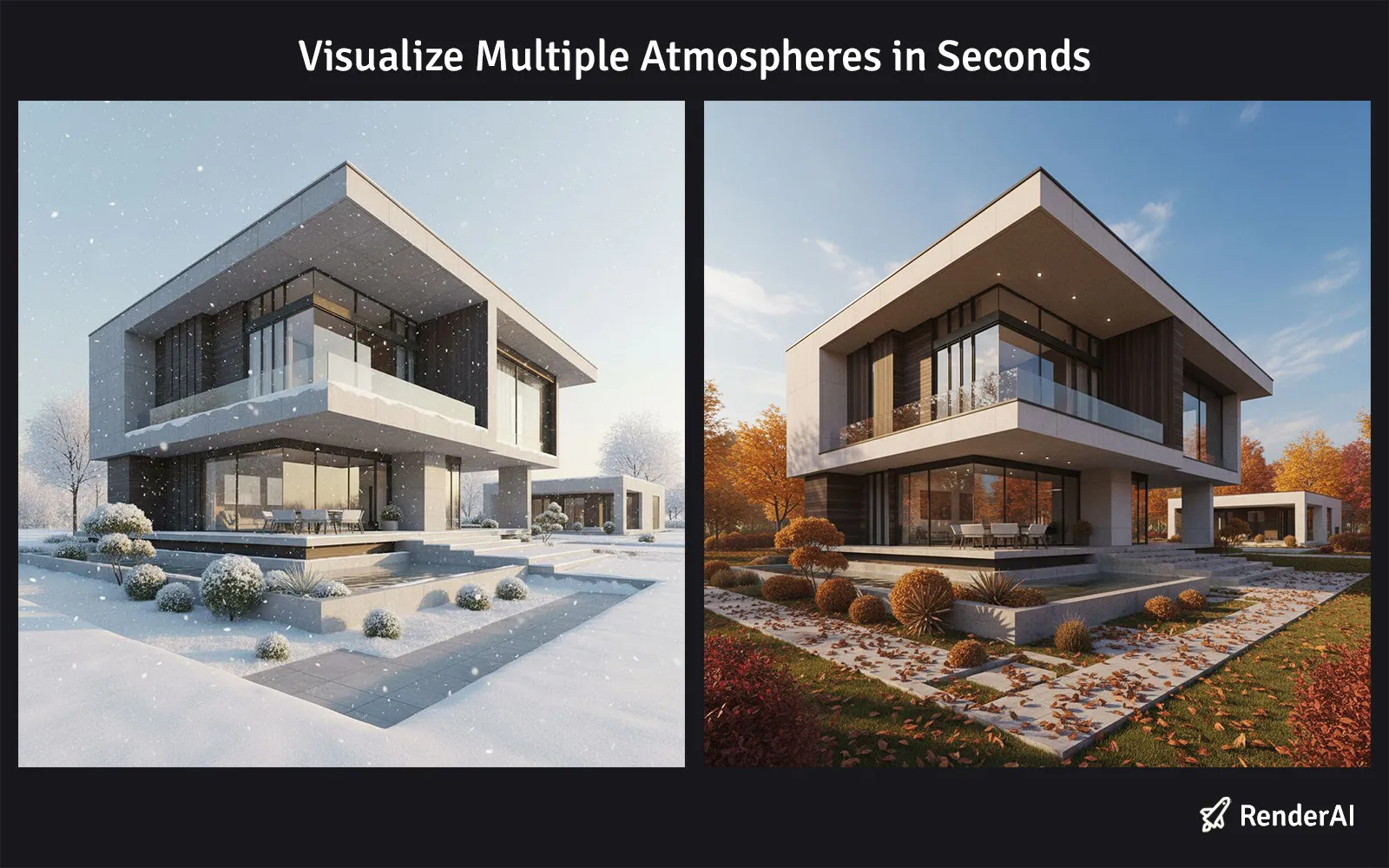
From Winter to Autumn in seconds. Transform renders into atmospheric variations using Style Enhance with ambient presets
Six Essential Ambient Presets for Architecture and Interior Design
Night: Dramatic Evening Transformations
The Night preset captures the magic of evening illumination, where interior lighting becomes the design hero. This dramatic transformation is ideal when you need to showcase:
- Luxury lighting design and accent features
- How spaces transform after sunset
- Cinematic presentations for high-end properties
- Material responses to artificial illumination
Pros: Emphasizes premium lighting; creates sophisticated, memorable presentations; highlights design drama
Cons: Shows less natural context; requires strong interior lighting design to be effective
The Night ambient preset is your go-to choice for luxury real estate and hospitality presentations. It’s particularly effective for entertainment spaces, dining areas, and when you want to demonstrate how accent lighting and fixtures elevate the overall design experience.
AI-generated Night transformations preserve architectural details while dramatically shifting the mood, making RenderAI’s Style Enhance perfect for creating multiple evening variations from a single daylight render.
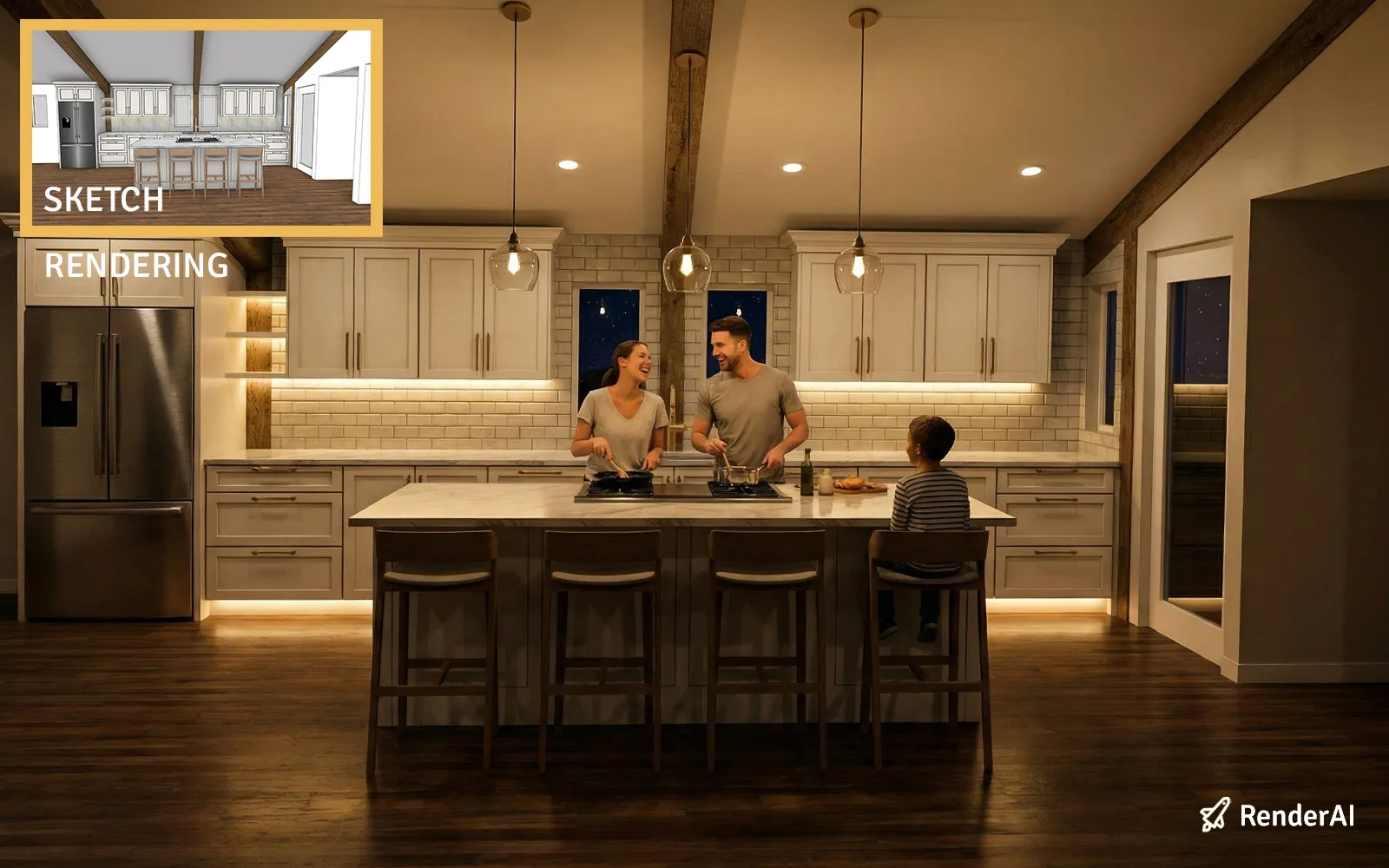
Night Ambient Preset: Transforms renders into dramatic evening scenes highlighting luxury lighting
Golden Hour: Warm Luxury Ambiance
The Golden Hour preset bathes your space in the warm, directional light of late afternoon, creating universally appealing luxury ambiance. This moderate transformation delivers:
- Warm color temperatures that feel welcoming and sophisticated
- Dramatic directional shadows adding depth and visual interest
- Enhanced texture visibility on fabrics and surfaces
- Emotional resonance associated with comfort and quality
Pros: Most marketable for social media; creates emotional connection; professional and polished results
Cons: Shows more shadow detail; may require material adjustments for optimal texture rendering
Think of Golden Hour as your primary preset for residential design and hospitality presentations. It provides the most commercially appealing results that clients can easily relate to, making it perfect for portfolios, marketing materials, and real estate listings where warmth and approachability are key selling points.
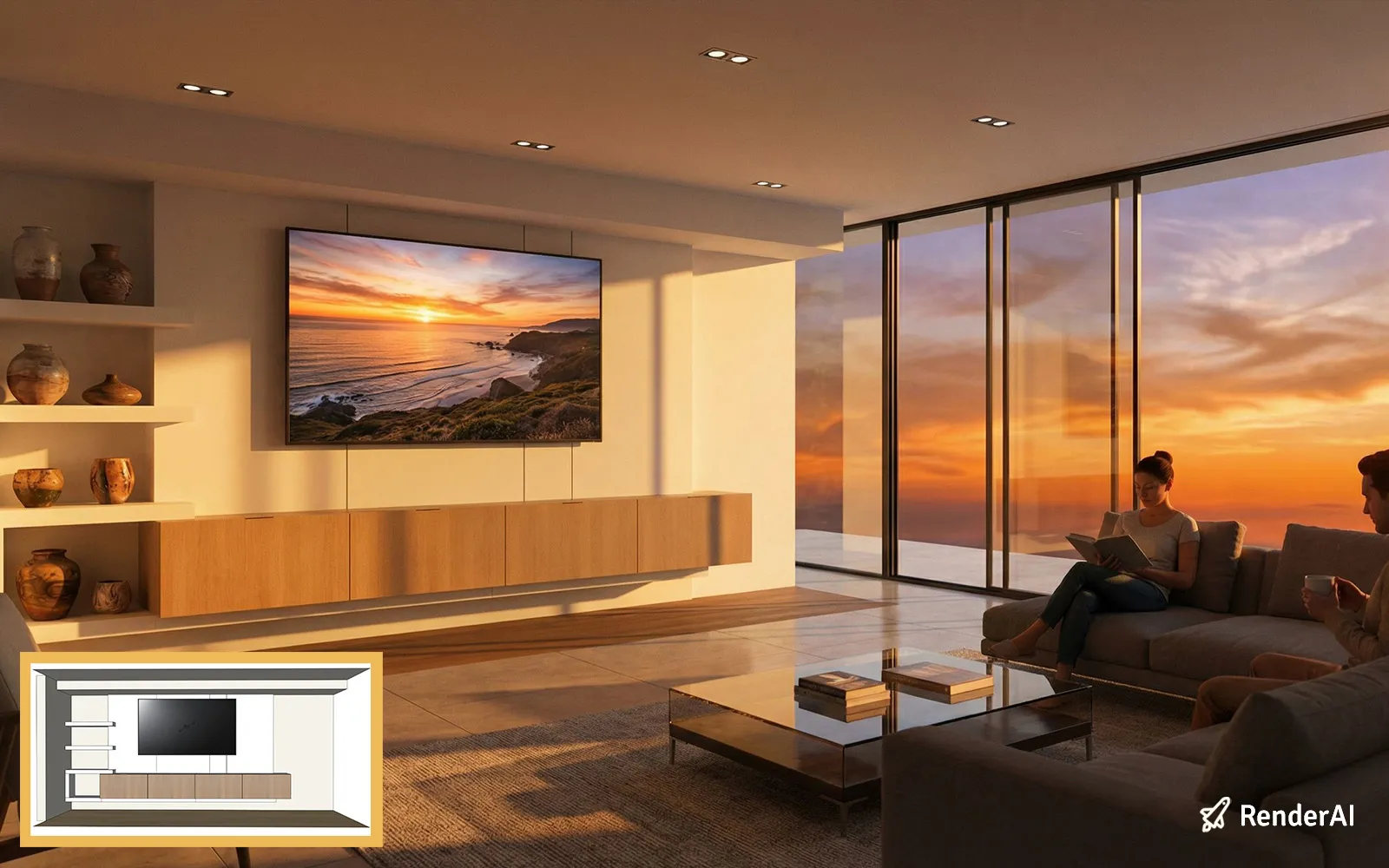
Golden Hour Ambient Preset: Warm, directional lighting creating luxury ambiance and emotional appeal
Snow/Winter: Cool Contemporary Aesthetics
The Snow/Winter preset introduces crisp, cool lighting with environmental snow effects, perfect for modern and minimalist designs. This contemporary transformation excels for:
- Clean, airy presentations of minimalist spaces
- Cool-toned contemporary design styles
- Seasonal property marketing
- Emphasizing spaciousness and modern aesthetics
Pros: Creates feeling of spaciousness; enhances cool color palettes; adds seasonal context
Cons: May feel too stark for warm, traditional designs; snow effects can sometimes appear artificial
The Snow/Winter preset is your artistic tool for contemporary design presentations. Use it when you want to showcase modern interiors, emphasize clean lines and minimalism, or create seasonal marketing content that feels fresh and contemporary.
This AI rendering style excels for modern portfolios, where the cool, diffused lighting creates a sense of sophistication and breathing room in contemporary spaces.
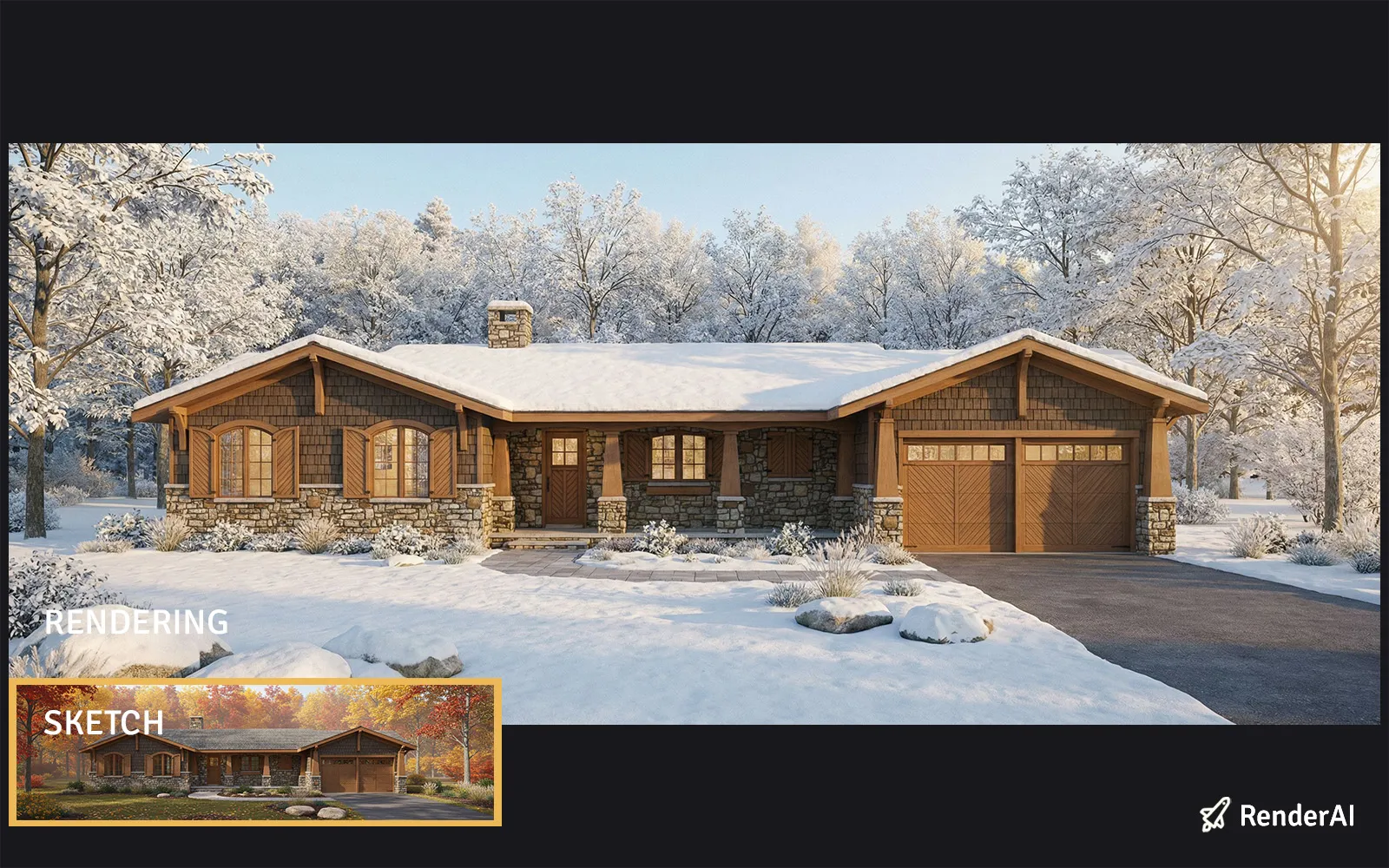
Snow/Winter Ambient Preset: Cool contemporary aesthetics with seasonal snow effects
Stormy/Rainy: Cinematic Design Drama
The Stormy/Rainy preset introduces moody, dramatic conditions with atmospheric effects that create cinematic impact. This dramatic transformation is ideal for:
- Award-winning competition entries
- Sophisticated design narratives
- Architectural storytelling presentations
- Creating memorable, high-impact visuals
Pros: Stands out in portfolios; creates emotional impact; demonstrates design resilience
Cons: Can be too dramatic for conservative clients; weather effects may distract from design details
The Stormy/Rainy preset is your cinematic tool for creating design drama and visual impact. Use it when you want to showcase architectural storytelling, demonstrate how designs perform in varied conditions, or create competition entries that demand attention.
This atmospheric approach excels for design competitions and high-profile presentations where you need to create lasting visual impressions.
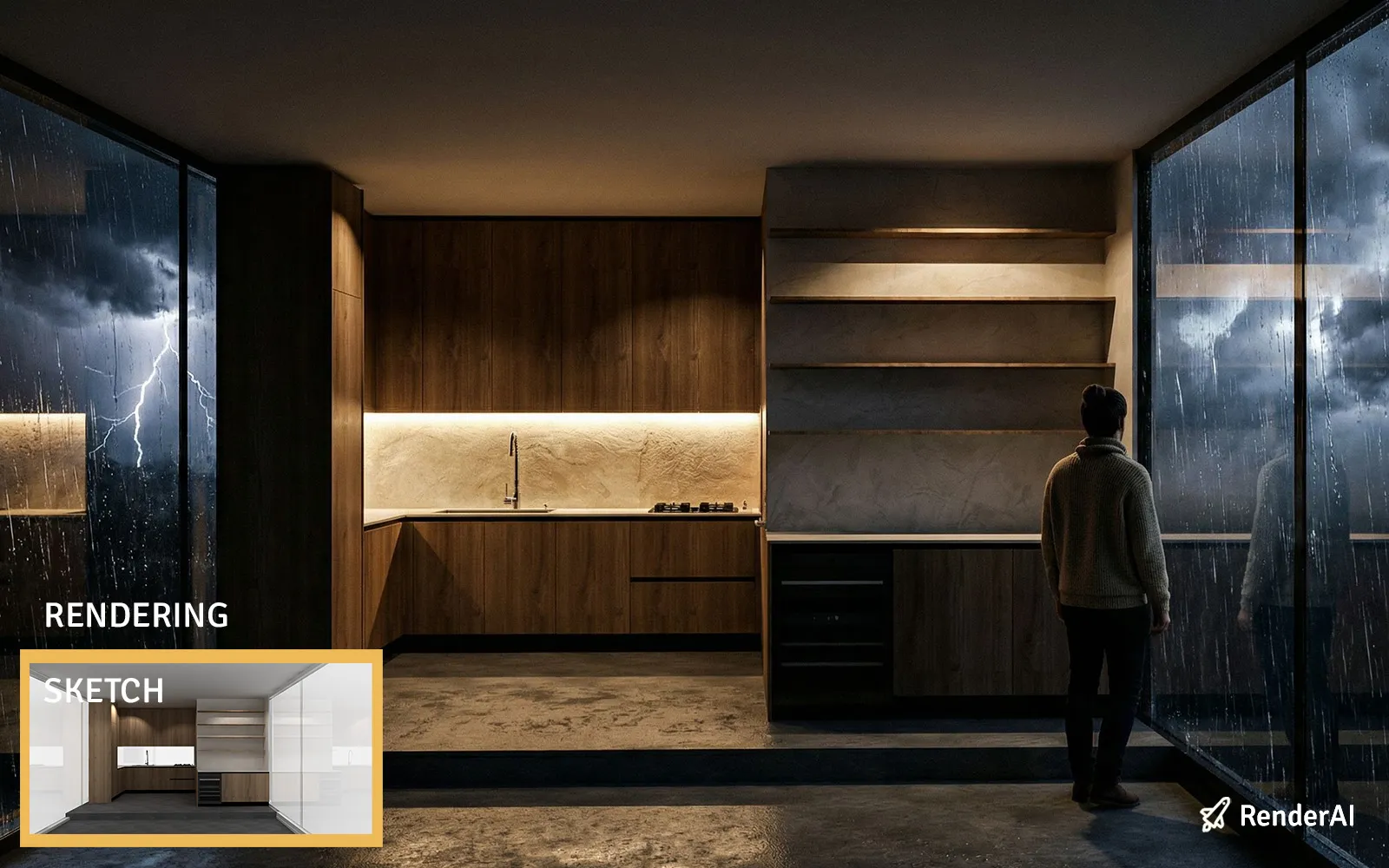
Stormy/Rainy Ambient Preset: Cinematic drama and atmospheric storytelling for award-winning presentations
Autumn/Fall: Warm Seasonal Comfort
The Autumn/Fall preset introduces warm, saturated tones with soft directional light and seasonal elements. This balanced transformation delivers:
- Comfortable warmth slightly cooler than golden hour
- Visual richness through color saturation
- Sense of lived-in, welcoming design
- Perfect balance for traditional and transitional spaces
Pros: Appeals to residential buyers; creates comfort associations; versatile for multiple design styles
Cons: Less dramatic than other presets; seasonal elements may not suit all contexts
The Autumn/Fall ambient preset is your versatile choice for residential design and family-oriented presentations. It provides the most universally appealing results for home buyers and clients seeking warmth and comfort, making it ideal for real estate marketing and residential portfolios where emotional connection matters most.
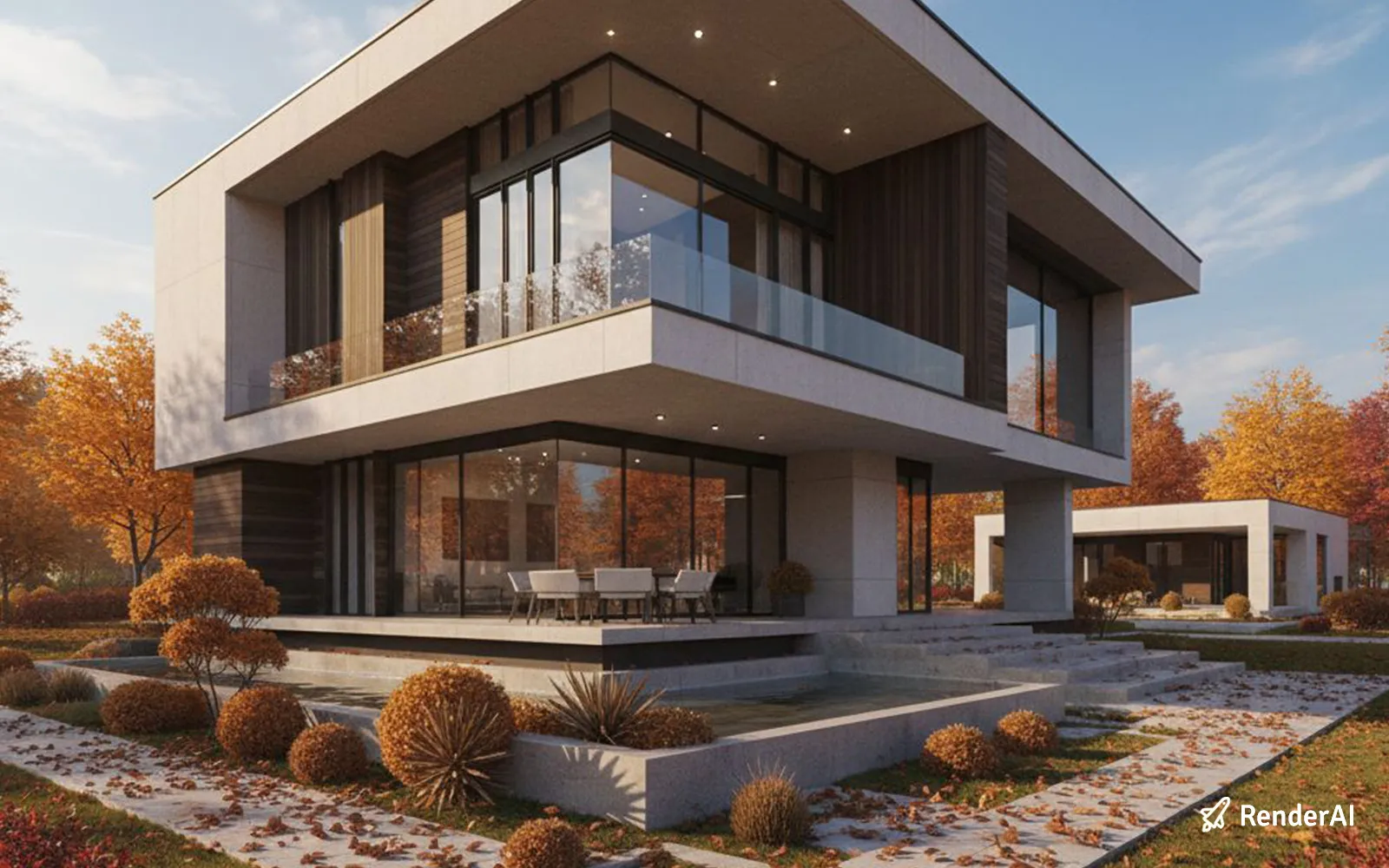
Autumn/Fall Ambient Preset: Warm seasonal comfort and visual richness for residential appeal
Practical Workflow: Transforming Images with Style Enhance
Here’s how to maximize your AI rendering workflow using Style Enhance as a creative tool:
Step 1: Prepare Your Source Image
Start with any clean interior image: a RenderAI render, photograph, or high-quality sketch. The source quality directly impacts transformation results—clearer images with defined spatial relationships produce the most convincing atmospheric variations.
Step 2: Select Your Primary Ambient Preset
Before transforming, consider your presentation goals and target audience:
- Need luxury appeal and emotional connection? Use Golden Hour for warmth and sophistication
- Want dramatic impact for portfolios or competitions? Choose Night or Stormy/Rainy for visual drama
- Seeking contemporary, clean aesthetics? Pick Snow/Winter for modern appeal
- Targeting residential comfort and approachability? Go Autumn/Fall for welcoming warmth
Step 3: Generate Multiple Atmospheric Variations
Don’t stop at one transformation. Professional architectural presentation uses a multi-atmosphere approach:
- Original daylight: Establishing baseline, architectural clarity
- Golden Hour: Warm, marketable appeal for most audiences
- Night: Dramatic evening transformation showing lighting design
- Seasonal variation: Winter or Autumn based on design style and target market
This comprehensive approach demonstrates design consistency across conditions and tells a complete visual story.
Step 4: Adjust Style Impact and Fine-Tune
Use RenderAI’s Style Impact slider to control transformation intensity, then fine-tune additional settings like lighting direction, saturation, and shadow depth to perfect your atmospheric vision.
Step 5: Export High-Resolution Variations
Download your transformed images in maximum resolution and organize them systematically for easy reference during client presentations and marketing campaigns.
Photography Principles Meet Atmospheric AI
The convergence of photographic expertise and AI atmospheric transformation is reshaping how designers communicate spatial experience. Just as professional photographers capture the same location at different times of day and seasons, designers using AI rendering tools now access those same storytelling controls instantly.
This democratization means:
- Faster atmospheric exploration: Test multiple time-of-day and seasonal variations in seconds instead of hours of re-rendering
- Consistent visual quality: Replicate professional photographic standards across all atmospheric conditions
- Better client engagement: Present spaces using familiar visual language that resonates with how people experience interiors
- Competitive presentation advantage: High-quality, varied atmospheric imagery elevates proposals and marketing materials
By understanding ambient effects as both technical presets and creative storytelling tools, you’re applying century-old photographic principles to cutting-edge AI technology.
Why Ambient Effects Matter for Your Success
The ability to control atmospheric presentation in AI rendering has profound implications:
For Designers:
- Showcase design versatility across lighting and seasonal conditions
- Test material and color responses to varied atmospheres during development
- Create comprehensive client presentations showing complete spatial experience
For Marketing & Real Estate:
- Generate multiple professional moods for listings, brochures, and digital marketing
- Maintain consistent brand presentation while showing atmospheric variety
- Increase engagement with carousel-style presentations showing time-of-day transformations
For Project Communication:
- Use recognizable atmospheric language to explain design emotional impact
- Bridge the gap between technical renders and lived experience
- Enable stakeholders to visualize design personality across different scenarios
Ready to Transform Your Renders with Atmosphere?
Mastering Style Enhance with ambient effects transforms AI rendering from a single-image tool into a comprehensive atmospheric presentation platform. Whether you’re creating dramatic Night scenes, warm Golden Hour ambiance, cool Snow/Winter aesthetics, cinematic Stormy/Rainy drama, or comforting Autumn/Fall warmth, you’re harnessing the same creative principles that professional photographers have relied on for decades.
The path from basic render to versatile marketing asset no longer requires multiple shoots or complex re-rendering. With AI tools like RenderAI and a strategic understanding of ambient effects, you can generate client-ready atmospheric variations in seconds—maintaining full creative control over mood, emotion, and design storytelling.
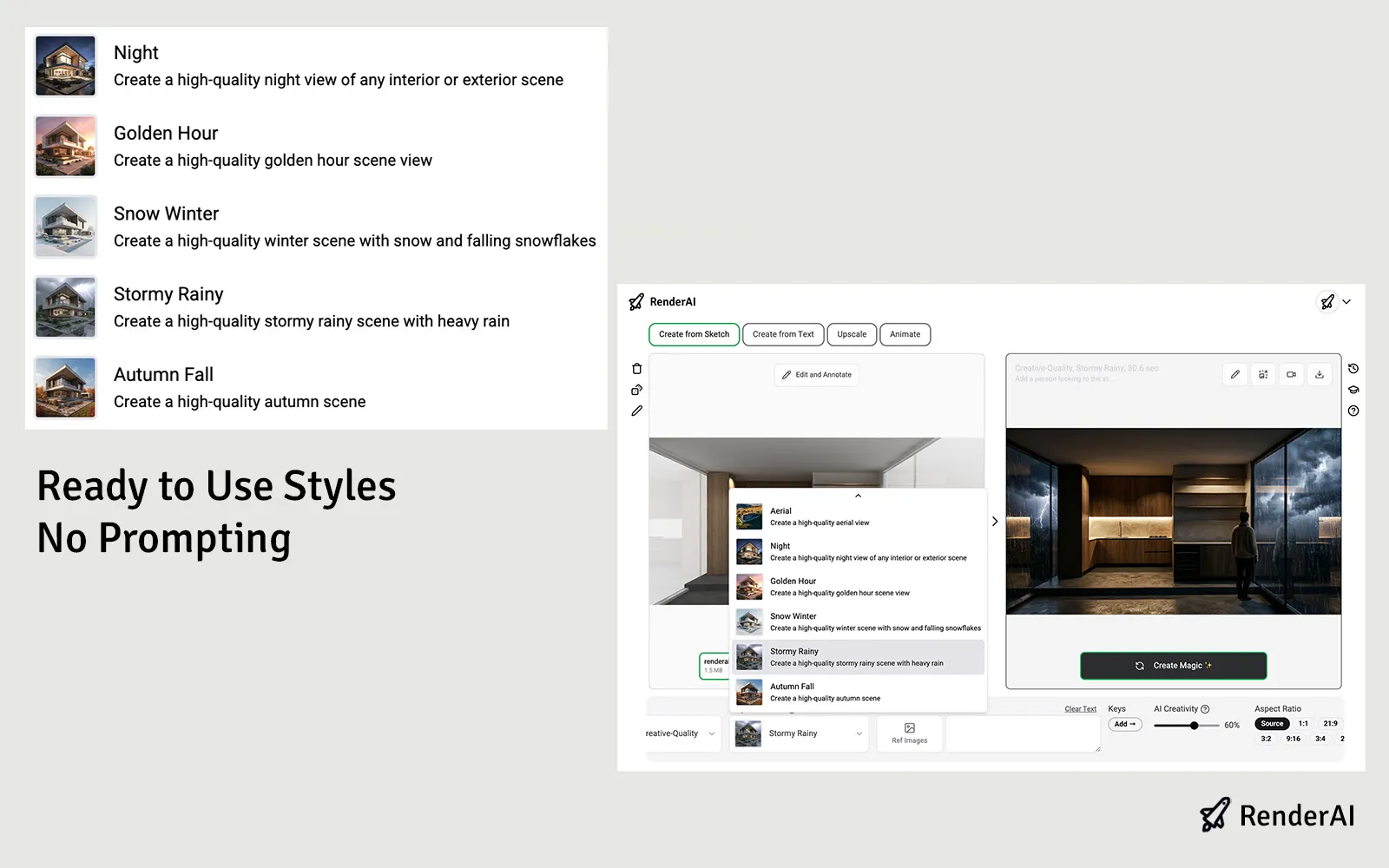
Using RenderAI Style Enhance to transform renders with atmospheric effects
Ready to transform your renders into versatile atmospheric presentations? Start with RenderAI AI atmosphere generator and discover how professional atmospheric techniques can elevate your interior design or architecture presentations. Start with any render, choose your ambient presets strategically, and watch as AI converts your vision into multiple photorealistic atmospheric realities.
References:
- From Visual Arts to Rendering: The Relevance of Atmospheres in Architectural Visualization
- Top AI Interior Rendering Tools for Architects and Designers
- Golden Hour Photography Principles
- AI Rendering Tools for Architecture and Product Design
- Atmospheric AI Rendering Generator
- This content uses AI research assistance with RenderAI expert analysis and human editing.
About the Author:
This article was written by Francisco. Architect, Visual Designer & Founder of RenderAI.


